
Overleaf
| Overleaf | |
| [Version]: Professional account | |
| [Features]: | |
|
1. You can work and collaborate online without installing software programs. |
|
| [Eligible applicants]: NTHU teachers and students | |
| [How to apply]: | |
| For those who does not have an Overleaf account: | |
|
a. Please apply for the @___.nthu.edu.tw mailbox account first. Please note that NTHU Overleaf does not accept @gapp.nthu.edu.tw applications. (How to apply for a student/faculty mailbox)
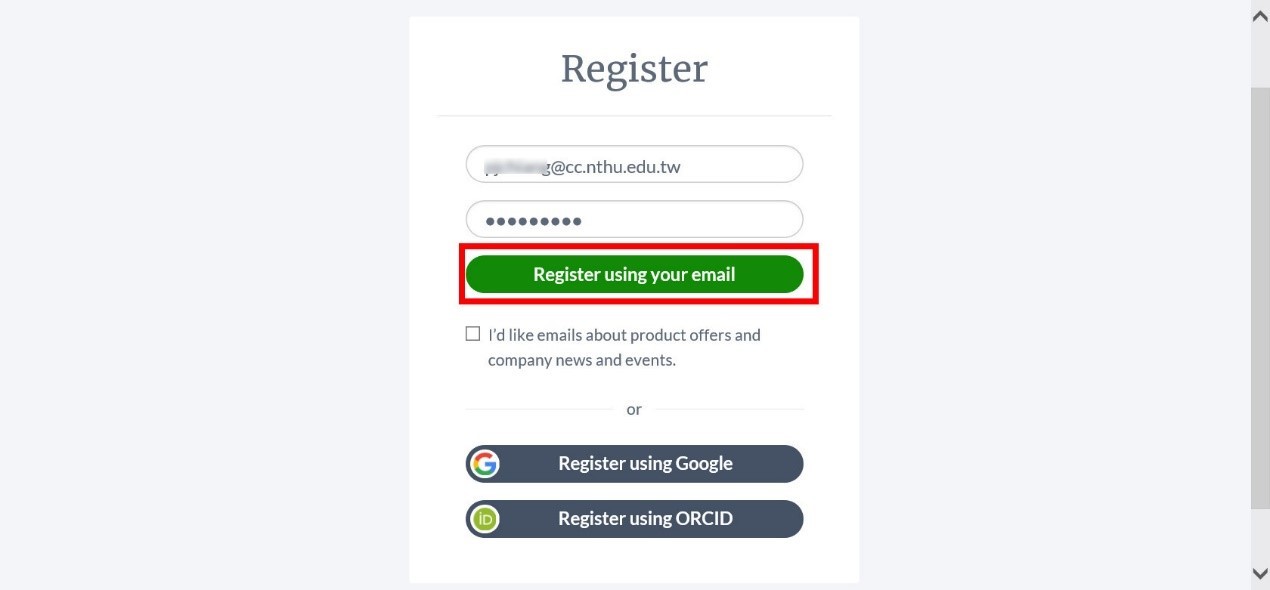
c. Enter your NTHU mailbox account and set up your password, then click “Register using your email”.
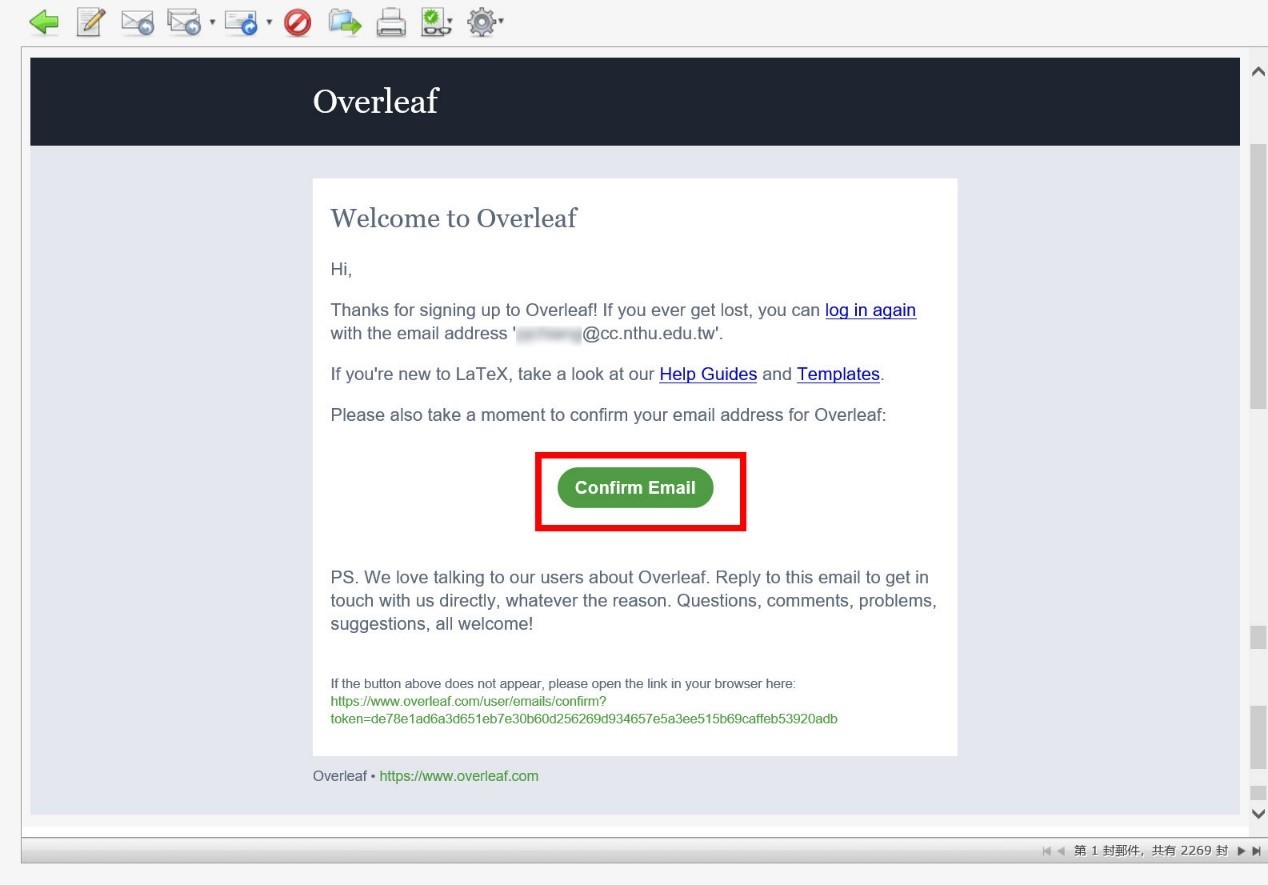
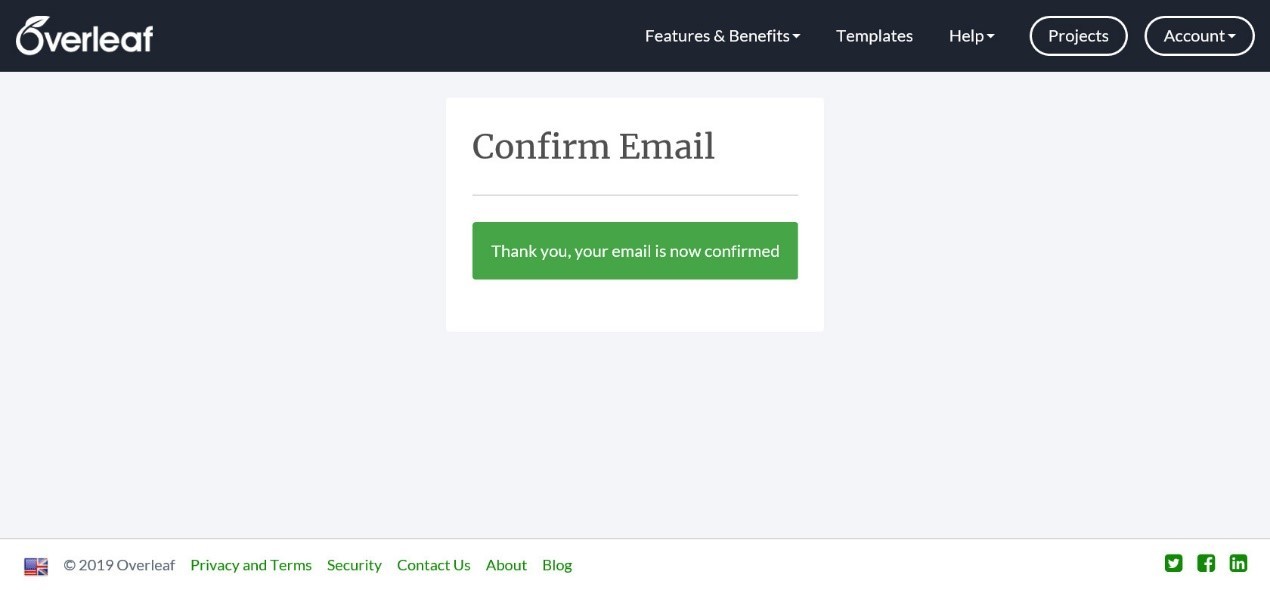
d. Go to your mailbox to receive the confirmation email.
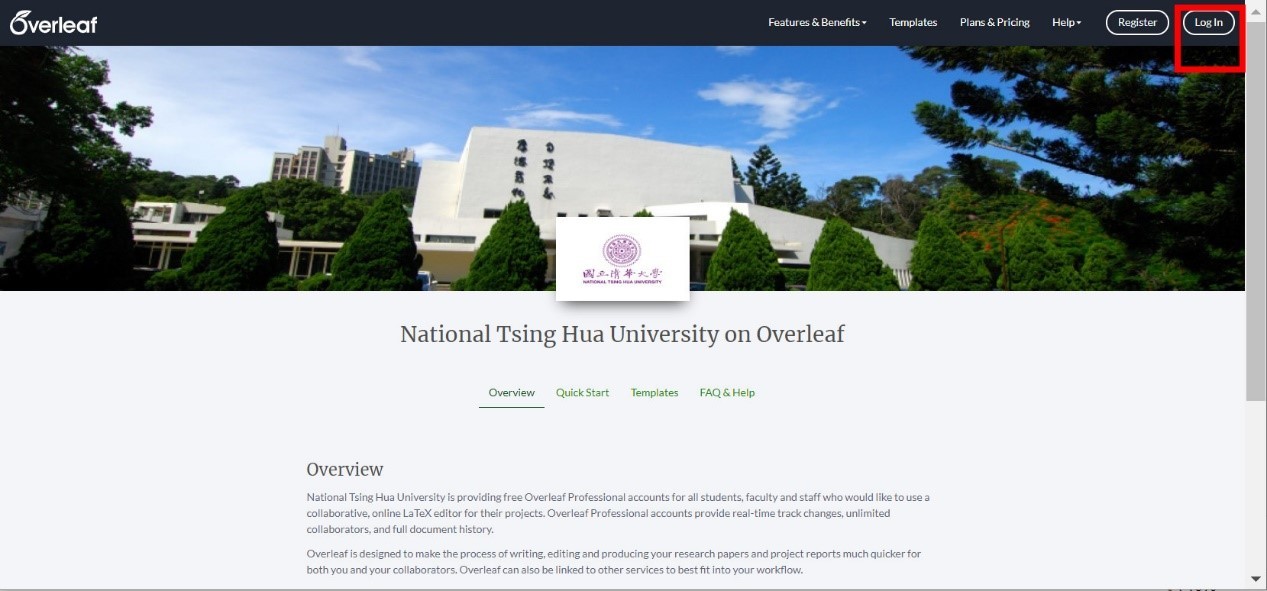
e. Re-enter the link https://www.overleaf.com/edu/nthu, click on “Login" at the top left corner.
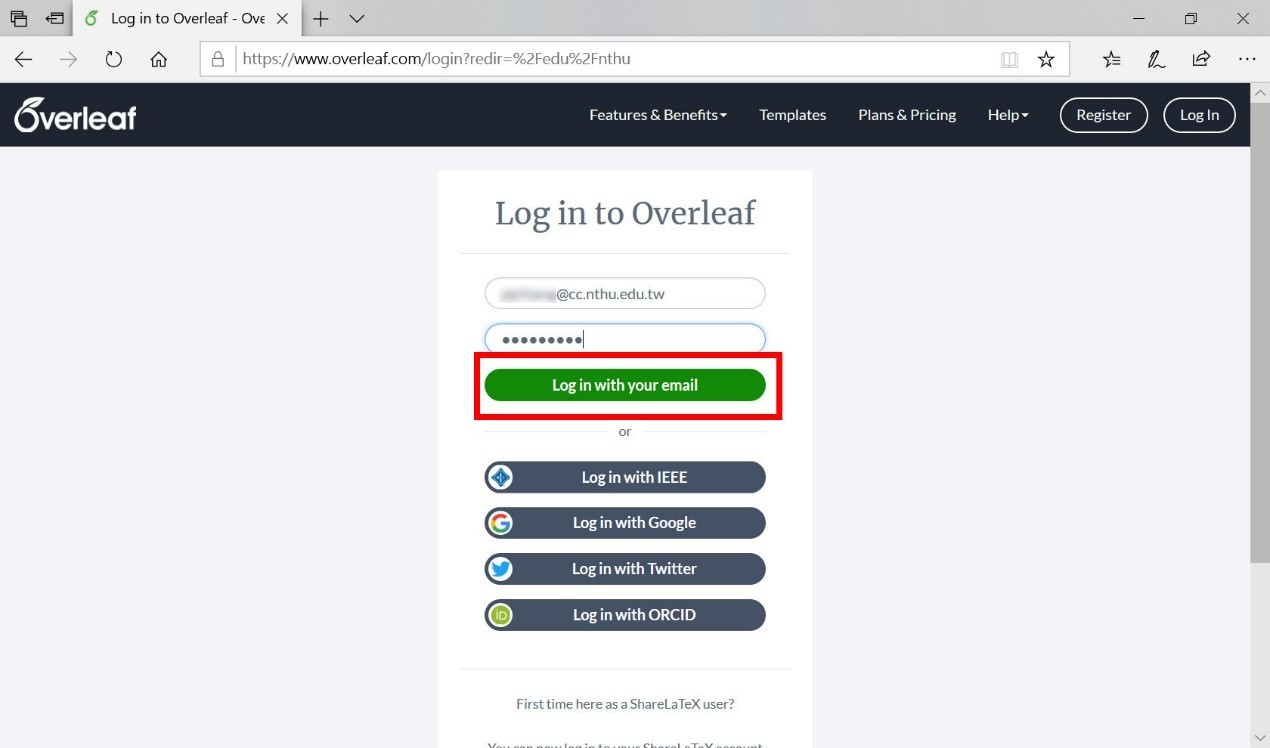
f. Enter your NTHU mailbox account and password, then click “Log in with your mail”.
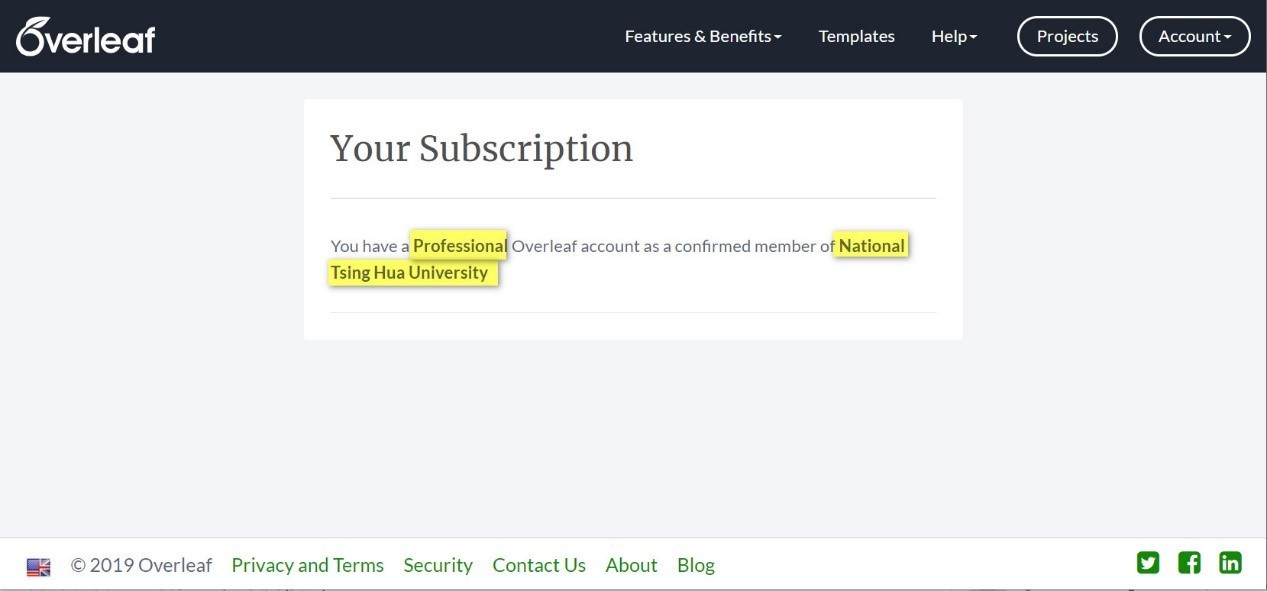
g. Please make sure that your account is a NTHU Professional account. After logging in, click on “Account” at the top right corner, and then scroll down to click on “Subscription”.
h. You have successfully signed up for an Overleaf account if the following appears!
|
|
| For those who already have an Overleaf account: | |
|
a. If you applied for an Overleaf account with @___.nthu.edu.tw, please refer to Step 5 above. You will be automatically upgraded to a Professional account after logging in. |
|
|
[Others]: 1. If you have any questions related to NTHU in-campus authorized software, please contact school extension #31000 or email: service@cc.nthu.edu.tw |
|



 cc.nthu.edu.tw